| Civilization: The Expansion Project https://dev.civproject.net/forum/ |
|
| Producing the map board https://dev.civproject.net/forum/viewtopic.php?f=3&t=409 |
Page 1 of 1 |
| Author: | Michael [ 2007-05-07 7:19:08 ] |
| Post subject: | Producing the map board |
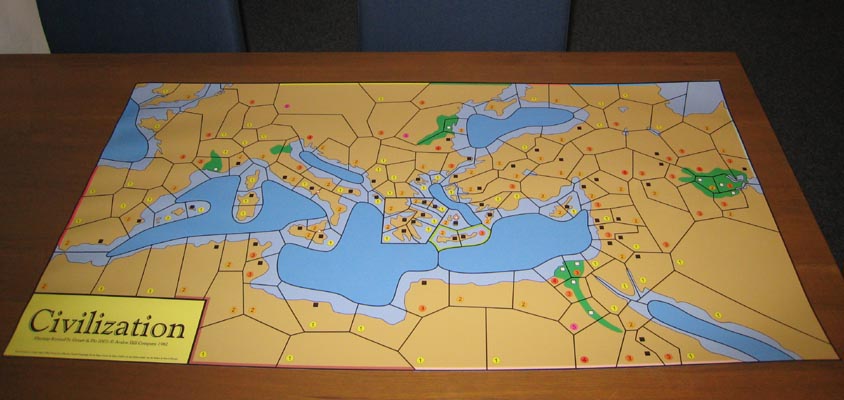
Hello, I wonder how you guys are producing the huge map board. I'm going to print it out on A4 papers and to stick these on cardboard pieces. Any other ways are welcome. By the way: Using the tool poster I made a PDF of 5x8 pages of the mapboard containing cutmarks and a little overlapping image space to make it easier to handle the assembling work. If you want me to upload the file, just let me know. Regards, Michael |
|
| Author: | trad2bay [ 2007-05-08 12:05:14 ] |
| Post subject: | |
Hi Michael I know that this has been discussed on other parts of the forum. I recall reading about 18 months ago on the old forum somebody who was going to create a magnetic Civilization Map to be hung on a wall - but I cannot find this link now. Here is one link: http://www.civproject.net/forum/viewtop ... highlight= It is under "The Expansion: The Commodities" - "How to print/create trading cards" In amongst the discussion on how to create trade cards, others have put forward some ideas on creating the map. The current map does not fit my table - so I have just spent some time modifying and stretching the map so it fits on a 2 m x 1 m table. I've printed out the 27 A4 sheets, and will trim them, tape them together at the back, then cut and laminate them into A3 sized sheets. Regards Trad2bay |
|
| Author: | Jonno [ 2007-05-11 9:41:16 ] |
| Post subject: | Re: Producing the map board |
Michael, your process seems to be very similar to mine. For my first map I used the split map, similar to those found in the Archive, but last time I used a custom GIMP script to create pieces that was just large enough for my printer (taking printer margins into account) and thus with as much overlap as possible, as to avoid the white borders I got between most papers on my fist map. In both cases I then glued them on three B1 (1m*70cm) cardboard panels. It works great, but it does takes a few hours to get it right. Another good option is to print it on a plotter, but that's way more expensive. If you (or a friend) own a plotter, it will end up at about $30, but if you go to a professional print service it will cost somewhere between $80 and $130. This in contrast to the $15 to print on A4 and glue on cardboard (costs are for Sweden, but expressed in US$). |
|
| Author: | japh [ 2007-10-05 23:19:28 ] |
| Post subject: | |
I printed mine out on a plotter. Full size, one sheet of paper. If you can at all get access to a plotter, it's by far the best way! |
|
| Author: | Jonno [ 2008-02-18 19:30:30 ] |
| Post subject: | |
I have my set on three sheets of cardboard (the same split as the 150dpi files in the map section (but printed at 300 dpi). However, I always end up using all three sheets, as I need the tables from the eastern and western sheets, and I always end up playing on at least part of the middle sheet (in addition to either the eastern or western sheet)... |
|
| Author: | Craig_Johnson [ 2008-05-29 15:19:32 ] |
| Post subject: | |
I'm selling most of the printed game components directly from my website now, its taken a while to get them all ready, but now they are. Here's the link: http://www.ahgeneral.org/gameparts/civ.htm I'll be working on the player matts next and will also change the layout of the advances because the current layout is too difficult to cut effectively. |
|
| Page 1 of 1 | All times are UTC |
| Powered by phpBB © 2000, 2002, 2005, 2007 phpBB Group http://www.phpbb.com/ |
|